Keep PurrfectBackup up to date with the latest features, improvements, bug fixes, and performance enhancements. Check for updates regularly to ensure your device has the latest version
Steps to Update
Download the latest update file from: https://purrfectbackup.com/updates
Example filename: backup-data.tar.vX.X.gpg
Place the file in the root directory of your USB drive.
Insert the USB drive into your PurrfectBackup and power it on.
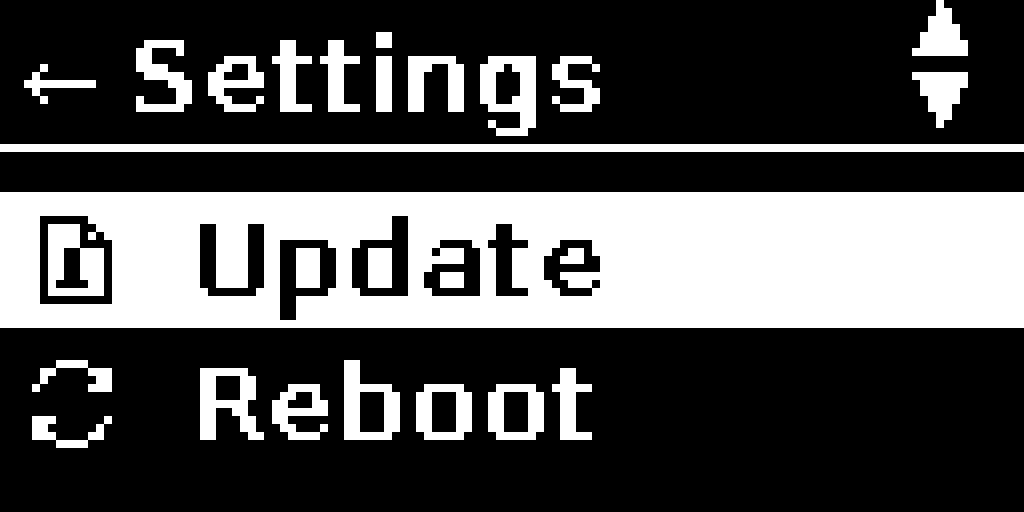
Go to: Settings → Update using UP/DOWN and SELECT.
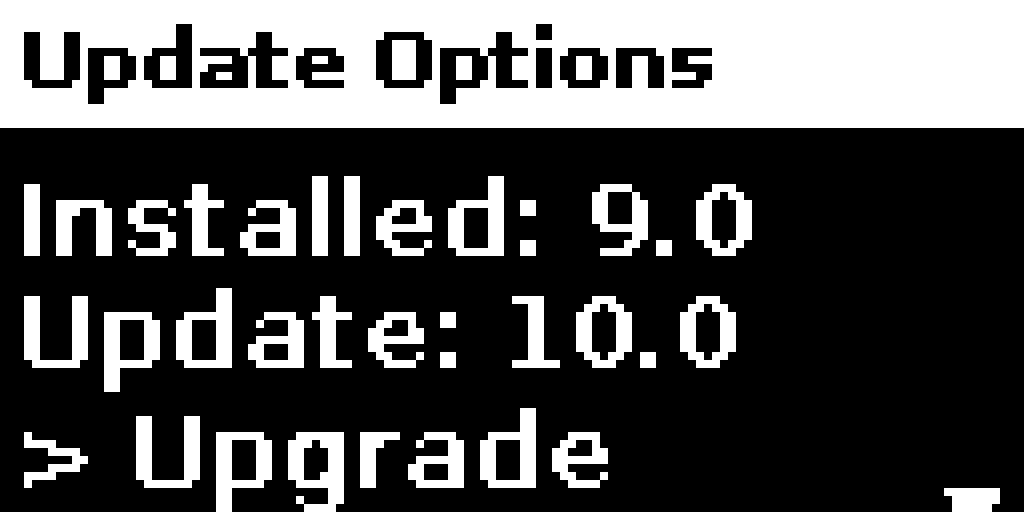
The system scans the drive and shows:
Installed version
New update version
You can then choose to:
Upgrade (if newer)
Reinstall (if same)
Downgrade (if older)
Cancel
Choose your option and confirm.
The device will reboot after updating.
Troubleshooting
No Update File Found: Check filename and format, make sure it is copied your USB drive and is inserted in PurrfectBackup
Update Failed: Try another USB drive or ensure proper formatting (FAT32/exFAT).
Please use contact form in case you face any issues