
🎉 Get 40% off Pre-Book Now →
How to Validate Copied Data

Skip to main content 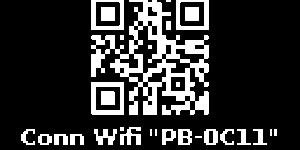
PurrfectBackup Knowledge Base
Copied now, how to validate if it is actually copied ?
Start WebUI
- On your PurrfectBackup, press WebUI Button
- A Wi-Fi hotspot will be created. It will display:
- SSID (“Network Name”PB-XXXX“)
- Password for connecting
- After connecting, press Select on the device to show a QR code to access the WebUI.
- Visit the displayed URL or scan the QR to access WebUI from your browser.
- To stop the WebUI, press WebUI button again.
Validate Data
- Once you click on “Validate Data” from the WebUI home screen.
- Select the drive to check from the dropdown.
- Click Mount Drive.
- You can browse folders, preview files, and use Go Back to return up a level.
Note: Only Photos files can be previewed including popular RAW formats